Last Updated: March 2026 | Optimized for Ansys Mechanical, Fluent, and LS-DYNA
In the world of high-end engineering, time is literally money. Waiting 12 hours for a CFD (Computational Fluid Dynamics) simulation to converge is no longer acceptable. As we move into 2026, the demand for HPC (High-Performance Computing) at the workstation level has skyrocketed.
Choosing the right Ansys Hardware requires a balance between memory bandwidth, clock speed, and AVX-512 instruction support. This guide breaks down the best components to ensure your Ansys Benchmarks 2026 outperform the competition.
1. The CPU Battle: AMD Threadripper vs. Intel Xeon
The CPU is the heart of your solver. For Ansys Mechanical, which often relies on the Direct Sparse Solver, single-core frequency and memory channels are king.
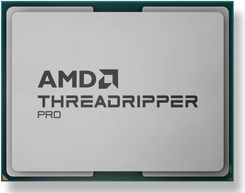
- AMD Threadripper 7000WX: Dominates in Parallel Scaling. With up to 96 cores and massive L3 cache, it is ideal for large-scale transient simulations.
- Intel Xeon Sapphire Rapids: Offers superior performance in tasks utilizing Intel MKL (Math Kernel Library), which is heavily integrated into the Ansys solver architecture.
Pro Tip: More cores aren't always better. Ansys licensing often limits the number of cores you can use (HPC Packs). Focus on Memory Bandwidth (DDR5-5600+) rather than just core count.
2. GPU Acceleration: NVIDIA RTX Ada Generation
Is GPU Acceleration worth it for Ansys? In 2026, the answer is a resounding yes. With Ansys Fluent and Ansys Discovery, offloading the matrix inversion to an NVIDIA RTX 6000 Ada or RTX 4090 can result in a 5x to 10x speedup.
"Using NVIDIA's CUDA cores allows for real-time physics visualization in Discovery, while Fluent's native GPU solver handles massive pressure-velocity coupling tasks with ease."
3. RAM: The Critical Bottleneck for FEA
If you run out of RAM, your simulation goes "out-of-core," and your solving speed drops by 90%. For FEA (Finite Element Analysis), ensure your DDR5 RAM configuration occupies all memory channels to maximize throughput.
| Model Size | Recommended RAM |
|---|---|
| Small (Under 5M Nodes) | 64 GB |
| Medium (5M - 20M Nodes) | 128 GB - 256 GB |
| Large (Complex Assemblies) | 512 GB+ |
Frequently Asked Questions (FAQ)
A: For learning and small models (under 1M cells), a high-end laptop with an NVIDIA RTX 4080 and 32GB RAM is sufficient. For professional consulting, a dedicated workstation is mandatory due to thermal throttling.
A: Yes, the Fluent GPU solver supports multi-GPU scaling, which is significantly more energy-efficient than traditional CPU-only HPC clusters.
A: NVMe Gen5 SSDs are highly recommended. During the writing of result files (.res, .dat), slow storage can become a major bottleneck in transient simulations.



0 Comments